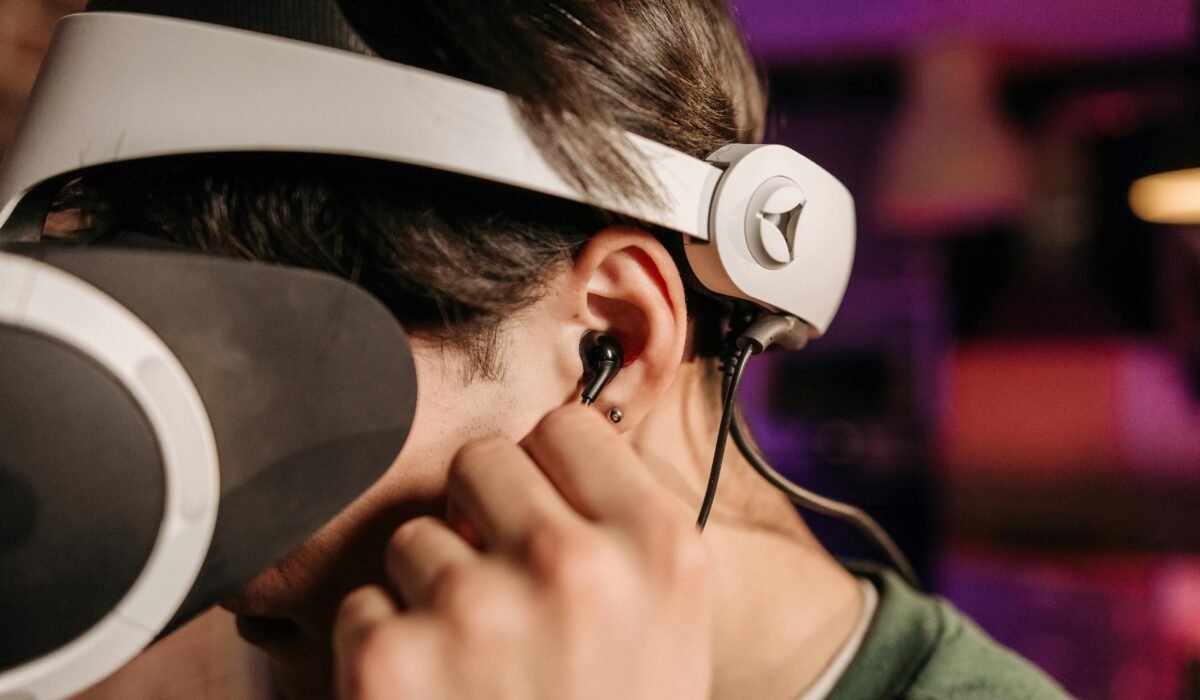
Ever wondered how some movies, music, or games make you feel like you’re truly *inside* the action, with sounds coming from all around you, even above? You’re likely encountering Dolby Atmos explained for beginners, a revolutionary audio technology designed to transport you into a richer, more dynamic soundscape. This guide will demystify Dolby Atmos, breaking down its core concepts, how it works, and what you need to experience truly immersive sound in your home, on your mobile, or while gaming.
What is Dolby Atmos in Simple Terms?
In its simplest form, Dolby Atmos is an advanced audio technology that creates a three-dimensional sound experience. Unlike traditional surround sound, which assigns sounds to specific channels (like left, right, or rear), Dolby Atmos treats individual sounds as “audio objects” that can be precisely placed and moved anywhere in a 3D space, including overhead.
Imagine a movie scene where a helicopter flies overhead. With traditional surround sound, you might hear the helicopter move from front to back. With Dolby Atmos, you’ll hear it ascend, fly directly over your head, and then descend behind you, creating a much more realistic and immersive sensation. Bose describes it as a “revolutionary sound format [that] creates three-dimensional spatial audio that brings your favorite content to life.” This is why it’s often referred to as immersive sound technology.
How Does Dolby Atmos Work? (Understanding Audio Objects)
The magic of Dolby Atmos lies in its shift from channel-based audio to object-based audio. Instead of mixing sound for a fixed number of speakers, sound engineers specify the exact location and movement of up to 128 individual audio objects within a 3D sound field. Think of it like a digital canvas where each sound—a gunshot, a bird chirping, a character’s whisper—is an independent element.
When you play Dolby Atmos content, your compatible receiver or sound system decodes this metadata. It then intelligently renders these audio objects to your specific speaker setup, including crucial height channels. These height channels, either physical speakers installed in the ceiling or upward-firing speakers that bounce sound off the ceiling, are what create the sensation of sound coming from above you. This dynamic rendering ensures that regardless of your speaker configuration, the system attempts to reproduce the artist’s original intent for where each sound should be perceived in space.
Dolby Laboratories itself states that Atmos “moves beyond the paradigm of channel-based audio,” highlighting its revolutionary approach to audio reproduction. This intelligent processing is what makes the experience so convincing and adaptable.
Dolby Atmos vs. Spatial Audio: What’s the Difference?
This is a common point of confusion for many beginners, and for good reason! The terms “Dolby Atmos” and “spatial audio” are often used interchangeably, but there’s an important distinction. Dolby Atmos is a specific type of spatial audio technology, developed by Dolby Laboratories.
Spatial audio is a broader term for any technology that creates the perception of sound coming from different directions in a three-dimensional space, including above and behind you. Dolby Atmos is one of the most prominent and widely adopted formats that achieves this. What most people miss is that while all Dolby Atmos is spatial audio, not all spatial audio is Dolby Atmos.
Apple’s “Spatial Audio” is a prime example of this nuance. When Apple Music or an Apple device plays content, it can use its own processing to simulate a 3D soundstage, often leveraging Dolby Atmos tracks as its source material. So, when you hear “Spatial Audio with Dolby Atmos” on an Apple device, it means Apple’s spatial audio engine is processing a Dolby Atmos track to deliver that immersive experience, particularly effectively with wireless earbuds or headphones.
Apple’s Spatial Audio with Dolby Atmos
Apple’s implementation of Spatial Audio takes Dolby Atmos content and adds head-tracking capabilities. This means that if you move your head while watching a movie on your iPad with AirPods Pro, the soundstage remains fixed relative to the screen, making it feel like the audio is truly coming from the device, rather than just from your headphones. This personalized touch enhances the immersive effect, especially on mobile devices.
What Equipment Do You Need for Dolby Atmos?
Experiencing Dolby Atmos requires compatible hardware, but the good news is that options range from full home theater setups to simple headphones. Here’s a breakdown:
Home Theater Setups: AV Receivers and Speakers
For the ultimate experience, a dedicated home theater audio system is ideal. You’ll need:
- A Dolby Atmos-compatible AV Receiver (AVR): This is the brain of your system, decoding the Atmos signal.
- Dolby Atmos-enabled Speakers: This includes traditional surround sound speakers (front, center, rear) plus dedicated height channels. These can be:
- In-ceiling speakers: The best option for discrete overhead sound.
- Up-firing speakers: Integrated into front or rear speakers, or standalone modules, that bounce sound off your ceiling to simulate height.
- Dolby Atmos Content: Movies, TV shows, and music encoded with Dolby Atmos.
Many modern TVs from brands like Sony, LG, and Samsung also support Dolby Atmos pass-through, meaning they can send the Atmos signal to your sound system.
Dolby Atmos Soundbars
For a simpler setup without multiple speakers, a Dolby Atmos soundbar is an excellent choice. These soundbars typically have upward-firing speakers built-in to create the height effect, along with front and side-firing drivers for wider sound. Brands like Sonos, Samsung, and LG offer excellent Dolby Atmos soundbars. While they can’t replicate a full discrete speaker system, they provide a significant upgrade over standard TV audio. For more options, check out our guide on Best Soundbars for Immersive Home Theater Audio.
Dolby Atmos Headphones
You don’t need a complex speaker setup to enjoy Dolby Atmos. Many premium headphones, including specific models from Apple (AirPods Pro, AirPods Max), Bose, and Sony, offer a virtualized Dolby Atmos experience. These Dolby Atmos headphones use sophisticated processing to simulate the 3D sound field, making it feel like sounds are coming from all around you, even overhead, using just two earcups.
Streaming Services and Devices
The content ecosystem for Dolby Atmos is robust and growing. You’ll find it on major streaming services Dolby Atmos compatible platforms like Netflix, Disney+, Amazon Prime Video, Apple TV+, and Paramount+. Music streaming services such as Apple Music, Amazon Music, and TIDAL also boast extensive libraries of music in Dolby Atmos, featuring artists like Billie Eilish, The Weeknd, and Taylor Swift. Make sure your streaming device (smart TV, Apple TV 4K, Xbox, Fire TV Stick 4K) supports Dolby Atmos output.
Is Dolby Atmos Worth It for Home Use, Gaming & Mobile?
The short answer is: absolutely, for an elevated audio experience. CNET, a reputable tech publication, notes that “In the best use cases, it can create immersive 3D sound to augment the visuals on screen or add an extra dimension to music.”
For Home Use (Movies and TV)
For movies and TV shows, Dolby Atmos is widely regarded as one of the most groundbreaking advancements in home cinema over the past decade. It transforms passive viewing into an engaging experience. Hearing rain patter from above, or a car chase whiz past your ears with precise directional audio, adds incredible depth and realism. Titles like *All Quiet on the Western Front* on Netflix or *Top Gun: Maverick* on Amazon Prime Video showcase its power beautifully. AWOL Vision states, “Capable of delivering some seriously high-quality, immersive sound, Dolby Atmos makes it well worth the investment for someone looking to take their audio setup to maximum capacity.”
Dolby Atmos for Gaming
Dolby Atmos for gaming is a game-changer, literally. On platforms like Xbox and PC, it provides a competitive edge and a deeper sense of immersion. Imagine playing a first-person shooter where you can pinpoint an enemy’s exact location by the sound of their footsteps above or behind you. This auditory advantage, combined with the sheer atmospheric enhancement, makes gaming far more engaging. Many modern games are now mixed with Dolby Atmos in mind.
Mobile and Music Experience
Even on mobile devices, Dolby Atmos significantly enhances the listening experience. With compatible phones (like iPhones/iPads from 2018 onwards) and quality headphones, music mixed in Atmos offers a more spacious, detailed, and enveloping sound. It can make you feel like you’re in the recording studio with the artist. For casual listening or travel, the virtualized 3D effect from best Dolby Atmos headphones is surprisingly effective, making your favorite tracks feel new again.
Getting Started: Your First Dolby Atmos Setup Tips
Ready to dive in? Here are some practical tips for your first Dolby Atmos setup:
- Assess Your Budget and Space: Decide if a full home theater, a soundbar, or headphones best suits your needs and living situation. A soundbar is a great entry point for many.
- Check Device Compatibility: Ensure your TV, streaming device, AV receiver, and speakers (or headphones) are all Dolby Atmos compatible. Look for the Dolby Atmos logo.
- Content is Key: Make sure the movies, shows, or music you plan to enjoy are actually available in Dolby Atmos. Check the audio options on your streaming service.
- Speaker Placement Matters (for Home Theater): For the best results, follow Dolby’s recommendations for speaker placement, especially for height channels. Even slight adjustments can make a big difference in the perceived immersion.
- Room Acoustics: While not critical for beginners, understanding basic room acoustics can optimize your sound. Hard surfaces can reflect sound, while soft furnishings can absorb it.
Starting with a simple home automation setup often involves understanding basic audio integration, and Dolby Atmos adds another exciting layer to that.
Common Dolby Atmos Problems & Troubleshooting for Beginners
Even with the best intentions, you might run into a few snags. Here are some common Dolby Atmos problems and how to troubleshoot them:
“I don’t hear any height effects!”
- Check Content: Is the content you’re playing actually Dolby Atmos? Many streaming services only offer it on specific titles or premium subscriptions. Look for the Dolby Atmos logo in the audio settings or content description.
- Verify Connections: Ensure all your devices (streaming player, TV, soundbar/AVR) are connected via HDMI cables that support eARC/ARC and are rated for high bandwidth (HDMI 2.0 or 2.1).
- Audio Settings: Dive into your TV’s audio output settings. Make sure it’s set to “Passthrough,” “Bitstream,” or “Auto” and not “PCM,” which can strip out the Atmos metadata. Do the same for your streaming device and AV receiver.
- Speaker Calibration: If you have an AV receiver, run its automatic speaker calibration (e.g., Audyssey or AccuEQ). This helps optimize levels and distances for each speaker, including height channels.
- Room Acoustics: For up-firing speakers, a flat, reflective ceiling is crucial. High ceilings or absorbent materials (like acoustic panels) can diminish the effect.
“My soundbar says Dolby Atmos, but it doesn’t sound very immersive.”
- Soundbar Placement: Ensure the soundbar is placed centrally, unobstructed, and not too close to a wall that might absorb the upward-firing sound.
- Room Size: Smaller rooms generally yield better results for soundbars attempting to create virtual height and surround effects.
- Volume Levels: Sometimes, the height effects become more noticeable at slightly higher volumes.
“My headphones say Dolby Atmos, but it sounds flat.”
- App/Device Settings: Ensure Dolby Atmos for Headphones (or Spatial Audio with Dolby Atmos on Apple devices) is enabled in your device’s sound settings. You might need to download the Dolby Access app on PC or Xbox.
- Content Source: Just like with speakers, the content must be mixed in Dolby Atmos for the effect to work.
Frequently Asked Questions
What is Dolby Atmos in simple terms?
Dolby Atmos is an advanced audio technology that creates a three-dimensional sound experience, making it feel like sounds are coming from all around you, including overhead. It treats individual sounds as “audio objects” that can be precisely placed and moved in a 3D space, rather than being limited to specific speaker channels.
How does Dolby Atmos work?
Dolby Atmos works by using “audio objects” – individual sounds with metadata about their position in a 3D space. Your compatible audio system then decodes this information and intelligently renders these sounds to your specific speaker setup, including dedicated height channels, to create a truly immersive and dynamic sound field.
Is Dolby Atmos worth it for home use?
Yes, Dolby Atmos is generally considered well worth the investment for home use, significantly enhancing movies, TV shows, and music. It provides a more immersive and realistic audio experience by adding a dimension of height and precise sound placement, making content feel more engaging and lifelike.
What equipment do I need for Dolby Atmos?
To experience Dolby Atmos, you’ll need compatible hardware such as an AV receiver with Dolby Atmos decoding and height-enabled speakers, a Dolby Atmos soundbar, or specific Dolby Atmos-enabled headphones. Additionally, you’ll need content (movies, music, games) that has been mixed and encoded in Dolby Atmos.
Dolby Atmos is more than just a buzzword; it’s a significant leap in audio technology that transforms how we experience entertainment. By understanding its core principles, recognizing the equipment you need, and knowing how to troubleshoot common issues, you’re well on your way to enjoying truly immersive sound. Dive in and let your ears discover a whole new dimension of audio!