Key Takeaways
- Over 1.4 billion smartphones were shipped globally in 2026, according to Consumer Reports (2026), highlighting widespread video capability.
- The Samsung Galaxy S26 Ultra achieved the highest overall score in Consumer Reports’ 2026 smartphone ratings, excelling in camera performance (2026).
- Good lighting is crucial for smartphone cameras due to their smaller sensors, as stated by NC State Teaching Resources.
- The iPhone 17 Pro Max offers 4K recording at 120 frames per second with Apple Log 2 support for professional color grading, according to SWOPiFY (2026).
- Using an external microphone like the Rode smartLav significantly improves audio quality for pro-quality smartphone video, according to Digital Storytellers (2020).
Are you ready to transform your casual phone footage into something truly impressive? This guide provides essential **Pro-Quality Smartphone Video Tips** to elevate your mobile filmmaking. We’ll explore techniques and tools that help you capture stunning visuals and crisp audio, making your smartphone videos look professionally produced.
Quick Answer: To capture pro-quality smartphone video, prioritize good lighting, stabilize your shots with both hands or a tripod, record in landscape orientation, and use external microphones for clear audio. Avoid digital zoom and leverage your phone’s advanced camera settings.
How to Capture Pro-Quality Smartphone Video: The Basics
To capture pro-quality smartphone video, begin with fundamental techniques that significantly improve your footage instantly. These foundational **Pro-Quality Smartphone Video Tips** lay the groundwork for more advanced filmmaking. Every successful mobile filmmaker starts by mastering these core principles.
Good lighting is critical and has a huge impact on smartphone cameras because they have smaller image sensors and lenses than traditional cameras, according to NC State Teaching Resources. This means your phone needs more light to produce a clear, noise-free image.
Step 1: Prioritize Optimal Lighting
Always prioritize good lighting, as it is the single most impactful factor for pro-quality smartphone video. Well-lit scenes prevent grainy footage and ensure your subject is clearly visible. Utilize natural light whenever possible, positioning your subject facing a window or outdoors during golden hour for soft, flattering illumination.
Avoid shooting into direct sunlight or placing your subject with a bright light source behind them, which often leads to silhouettes or underexposed faces. If natural light is insufficient, consider using a small, portable LED light panel to brighten your subject and achieve better exposure. These **Pro-Quality Smartphone Video Tips** emphasize light as a primary tool.
Step 2: Ensure Camera Stability
Camera stability is paramount for achieving smooth, professional-looking video, directly impacting the perceived quality of your pro-quality smartphone video. Shaky footage instantly detracts from your content’s professionalism, making it difficult for viewers to focus. Hold your phone with both hands, close to your body, or lean against a stable surface for basic stabilization.
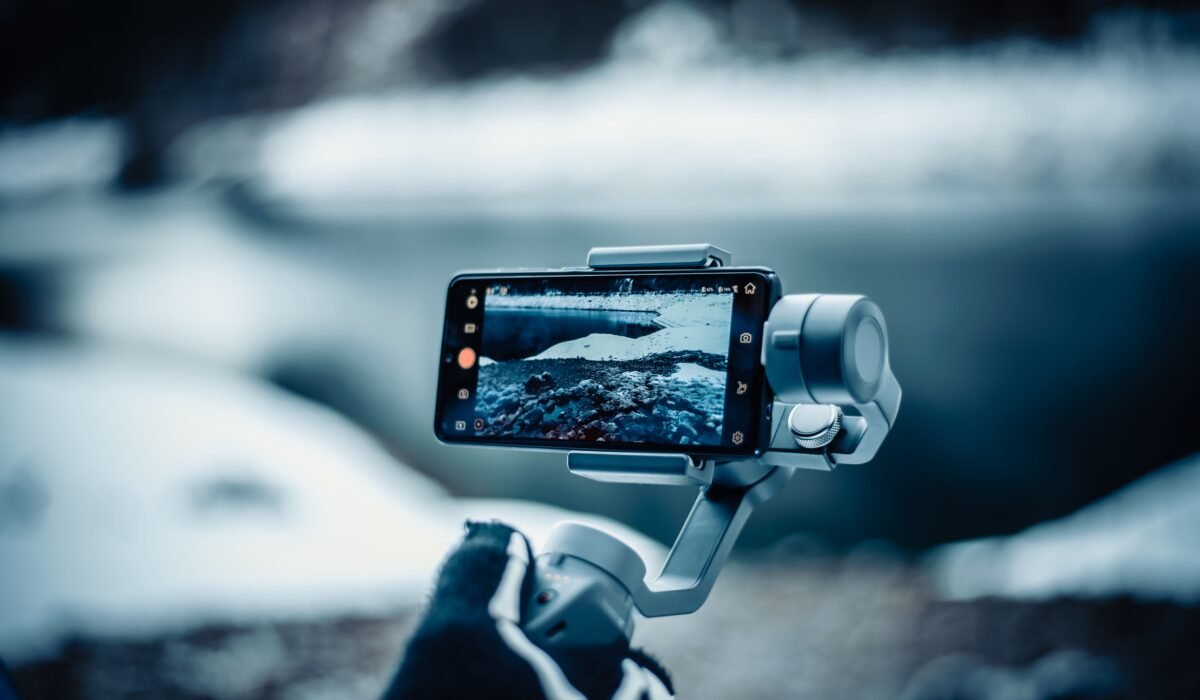
For truly cinematic shots, invest in a smartphone gimbal like the DJI Osmo Mobile. This device mechanically stabilizes your phone, eliminating jitters and allowing for smooth pans and tilts. Consistent stability is one of the most vital **Pro-Quality Smartphone Video Tips** for polished results.
Step 3: Record Clear Audio
Clear audio is just as important as crisp video for pro-quality smartphone video, as poor sound can instantly ruin an otherwise great visual. Viewers are often more forgiving of less-than-perfect video quality than they are of muffled or distorted audio. Your phone’s built-in microphone, while convenient, is rarely sufficient for professional results, especially in noisy environments.
Using an external microphone like the Rode smartLav is strongly recommended for better audio quality, according to Digital Storytellers (2020). These lavalier microphones clip onto your subject, capturing clear, direct sound by minimizing background noise. Investing in an external microphone is one of the most impactful **Pro-Quality Smartphone Video Tips** you can implement.
What are the Best Settings for Phone Video?
The best settings for phone video typically involve maximizing resolution and frame rate, while always shooting in landscape orientation. These adjustments are crucial **Pro-Quality Smartphone Video Tips** for optimizing your phone’s camera capabilities. Understanding your phone’s native camera app or a third-party app like Filmic Pro is key.
As any pro video editor will tell you, the biggest mistake you can make is shooting in portrait mode (vertical) instead of landscape (horizontal), according to Photofocus (2023). Landscape orientation ensures your video fills screens like TVs and monitors, providing a more immersive and professional viewing experience.
When setting up your camera, choose the highest resolution available, such as 4K, for maximum detail and flexibility in post-production. A higher frame rate, like 60 frames per second (fps), provides smoother motion, especially for action shots, making these essential **Pro-Quality Smartphone Video Tips**. For a more cinematic look, 24fps or 30fps are standard choices.
Ensure your white balance is correctly set to match your lighting conditions, preventing unnatural color casts. Many phones offer automatic white balance, but manual control provides greater accuracy and consistency across shots, a subtle yet powerful aspect of achieving pro-quality smartphone video.
Mastering Advanced Smartphone Camera Controls
Mastering advanced smartphone camera controls moves beyond automatic settings, giving you creative command over your pro-quality smartphone video. This level of control allows you to fine-tune exposure, focus, and color, achieving a truly cinematic look. Many modern smartphones, including the iPhone 17 Pro Max and Samsung Galaxy S26 Ultra, offer these manual options.
Step 4: Master Manual Camera Settings
To master manual camera settings, delve into shutter speed, ISO, and white balance to control light and motion precisely for your pro-quality smartphone video. These settings are the bedrock of professional videography, enabling you to adapt to diverse shooting conditions. Using a third-party app like Filmic Pro can unlock these granular controls on most devices.
Adjusting shutter speed allows you to control motion blur; a general rule for cinematic feel is to set it at double your frame rate (e.g., 1/48 or 1/60 for 24fps or 30fps, respectively). This is one of the more advanced **Pro-Quality Smartphone Video Tips**. ISO determines your camera’s sensitivity to light, with lower numbers producing less noise but requiring more light.
White balance ensures accurate color representation, preventing your footage from appearing too warm or too cool. Manually setting your white balance to the Kelvin temperature of your light source provides consistent color, a hallmark of pro-quality smartphone video. Moreover, some high-end phones offer Log modes (like Apple Log 2 on the iPhone 17 Pro Max) which capture a wider dynamic range, perfect for professional color grading in post-production. These settings are vital **Pro-Quality Smartphone Video Tips** for precise control.
Planning Your Shoot: Pre-Production for Mobile Filmmakers
Planning your shoot through effective pre-production is essential for mobile filmmakers to create cohesive and compelling pro-quality smartphone video. A well-thought-out plan ensures efficiency on set and a stronger narrative outcome. This stage transforms random clips into a structured story.
Step 5: Plan Your Shots
Planning your shots involves creating a storyboard and a shot list, which are crucial for maintaining focus and ensuring you capture all necessary footage for your pro-quality smartphone video. This structured approach prevents missed opportunities and streamlines your shooting process. Before you even pick up your phone, visualize the final product.
A storyboard consists of visual sketches or descriptions of each shot, detailing camera angles, subject movement, and key visual elements. This helps you map out your narrative flow. A shot list is a detailed inventory of every shot you need, including location, time of day, and any specific camera movements or dialogue, making it easier to execute these **Pro-Quality Smartphone Video Tips** effectively.
Consider the overall narrative and how each shot contributes to your story. Think about different angles (wide shots, medium shots, close-ups) and how they can build visual interest. Pre-production also includes scouting locations and ensuring you have all necessary accessories, such as your DJI Osmo Mobile or Rode smartLav, on hand. Effective planning is a cornerstone of producing pro-quality smartphone video.
Mobile-First Post-Production: Editing Pro-Quality Smartphone Video
Mobile-first post-production empowers you to refine your pro-quality smartphone video entirely on your device, offering flexibility and immediate results. This workflow is ideal for content creators who need to produce high-quality video quickly without transferring files to a desktop. The power of mobile editing apps has grown immensely.
Step 6: Edit on Mobile Apps
To edit on mobile apps, use powerful tools like Adobe Premiere Rush to cut, color correct, and add audio enhancements directly on your smartphone, enabling a seamless workflow for pro-quality smartphone video. These apps provide many features previously exclusive to desktop software. They allow you to trim clips, arrange them in a sequence, and apply transitions.
Color grading is a vital step in post-production, allowing you to establish a consistent visual tone and enhance the mood of your video. Mobile editing apps offer various filters and manual color correction tools to adjust saturation, contrast, and highlights. This is where footage shot in Log mode on devices like the iPhone 17 Pro Max truly shines, offering maximum flexibility for creative color work.
Don’t overlook audio enhancement during editing. You can adjust volume levels, remove background noise, and add royalty-free music or sound effects to elevate your narrative. These **Pro-Quality Smartphone Video Tips** for post-production ensure your final output looks and sounds polished. Mobile editing makes achieving pro-quality smartphone video accessible to everyone.
Top Smartphones for Cinematic Video in 2026
Top smartphones for cinematic video in 2026 feature advanced camera systems, powerful processors, and specialized software, making them excellent tools for capturing pro-quality smartphone video. These devices push the boundaries of mobile filmmaking, offering features like advanced stabilization and professional recording formats. More than 1.4 billion smartphones were shipped globally in 2026, indicating a vast user base with video recording capabilities, according to Consumer Reports (2026).
Step 7: Utilize Advanced Phone Features
Utilize advanced phone features like ProRes recording, Log profiles, and enhanced stabilization systems to unlock the full cinematic potential of your device for pro-quality smartphone video. These capabilities are often found in flagship models and provide significant advantages for professional workflows. Understanding these features is key to leveraging your phone’s power.
The iPhone 17 Pro Max offers 4K recording at up to 120 frames per second with Dolby Vision HDR and advanced pro video modes, including ProRes and Apple Log 2 support for wide tonal range, ideal for color grading, as highlighted by SWOPiFY (2026). This makes it a powerhouse for mobile filmmakers seeking pro-quality smartphone video.
The Samsung Galaxy S26 Ultra achieved the highest overall score in Consumer Reports’ 2026 smartphone ratings, with its 200-megapixel main rear camera producing sharp, bright images across various lighting conditions (2026). It’s also praised for its 8K video and ultra-stable 4K footage with advanced AI stabilization, essential for pro-quality smartphone video.
The Google Pixel 10 Pro is noted for its intelligent video processing, delivering natural colors and excellent dynamic range, with AI-powered video tools enhancing clarity and automatically reducing noise. This makes it ideal for vloggers and anyone seeking hassle-free pro-quality smartphone video.
Here’s a quick comparison of these leading smartphones for your pro-quality smartphone video needs:
| Feature | iPhone 17 Pro Max | Samsung Galaxy S26 Ultra | Google Pixel 10 Pro |
|---|---|---|---|
| Max Video Resolution | 4K @ 120fps (ProRes, Log) | 8K Video, 4K Ultra-Stable | 4K @ 60fps (AI-enhanced) |
| Pro Video Modes | ProRes, Apple Log 2, Dolby Vision HDR | Advanced AI Stabilization | Intelligent Video Processing, Noise Reduction |
| Key Strength | Cinematic color grading, high frame rate | High resolution, extreme stability | Natural colors, AI clarity |
| Ideal User | Professional mobile filmmakers, colorists | Action shooters, detail enthusiasts | Vloggers, general users seeking ease of use |
How Do Youtubers Film Professional Videos on Their Phones?
Youtubers film professional videos on their phones by meticulously applying the same **Pro-Quality Smartphone Video Tips** discussed, focusing on lighting, stability, audio, and strategic editing. They understand that high production value is achievable with mobile devices when fundamentals are mastered. Many popular creators started their channels using only a smartphone.
The Association of Legal Administrators (2022) notes that “Nowadays, every smartphone contains powerful tools to help you shoot and edit your video — as well as post it to be seen by your target audience.” Youtubers leverage these tools, often combining their phone with essential accessories like a DJI Osmo Mobile gimbal for smooth tracking shots and a Rode smartLav external microphone for clear dialogue. This setup allows them to capture compelling content without expensive traditional camera gear.
They also prioritize storytelling and consistent branding, understanding that technical quality is only one piece of the puzzle. Youtubers often use mobile editing apps like Adobe Premiere Rush to quickly cut their footage, add graphics, and optimize their videos for various platforms. These **Pro-Quality Smartphone Video Tips** are not just for aspiring filmmakers but for anyone creating content for a wider audience.
Frequently Asked Questions
How can I make my phone videos look professional?
You can make your phone videos look professional by focusing on good lighting, ensuring camera stability, and capturing clear audio. Using an external microphone like the Rode smartLav can dramatically improve audio quality, according to Digital Storytellers (2020). Practice these **Pro-Quality Smartphone Video Tips** consistently for noticeable improvement.
How do you shoot good quality videos on Android?
To shoot good quality videos on Android, utilize your phone’s highest resolution (e.g., 4K) and frame rate settings, and always record in landscape mode. The Samsung Galaxy S26 Ultra, for example, offers 8K video and ultra-stable 4K footage with advanced AI stabilization, according to Consumer Reports (2026). Experiment with manual controls for exposure and white balance found in many Android camera apps.
How do Youtubers film with their phones?
Youtubers film with their phones by mastering fundamental **Pro-Quality Smartphone Video Tips** such as using external microphones, stabilizing their shots with gimbals, and optimizing lighting. They also employ mobile editing apps to refine their footage and add professional touches. Their success stems from a combination of technical skill and creative storytelling.
What is the best setting for phone video?
The best setting for phone video is typically 4K resolution at 30 or 60 frames per second, recorded in landscape orientation. Shooting in landscape mode is crucial for wider playback compatibility and a professional aesthetic, as emphasized by Photofocus (2023). Always ensure your white balance is appropriate for your lighting conditions.
What accessories do I need for pro-quality smartphone video?
For pro-quality smartphone video, essential accessories include a tripod or gimbal (like the DJI Osmo Mobile) for stability, an external microphone (such as the Rode smartLav) for clear audio, and potentially a portable LED light for better illumination. These tools significantly enhance the production value of your mobile footage. Investing in these accessories is a key part of **Pro-Quality Smartphone Video Tips**.
Achieving pro-quality smartphone video is entirely within reach with the right knowledge and tools. By implementing these **Pro-Quality Smartphone Video Tips**, from mastering lighting and stability to leveraging advanced camera settings and mobile editing, you can transform your everyday footage into compelling cinematic content. Start experimenting today, and unlock the full potential of your smartphone as a powerful filmmaking device.