Key Takeaways
- Decoding HDMI cable types requires understanding connector styles, speed ratings, and version compatibility for optimal device performance.
- Ultra High Speed HDMI cables are certified to support bandwidths up to 48 Gbps, enabling 8K resolution at 60 Hz and dynamic HDR.
- High-Speed cables held the largest 40.65% share of the HDMI market in 2025, according to Grand View Research (2025).
- The global HDMI cable market was valued at USD 3.41 billion in 2025 and is projected to reach USD 5.39 billion by 2031, according to Mordor Intelligence (2025).
- Properly choosing how to decode HDMI cable types ensures you unlock advanced features like Variable Refresh Rate (VRR) and Auto Low Latency Mode (ALLM) for gaming.
Are you staring at a wall of HDMI cables, wondering which one will actually deliver that stunning 4K picture or lag-free gaming experience? You’re not alone. Knowing how to decode HDMI cable types is the first step to ensuring your devices, from your new Samsung TV to your PlayStation 5, perform at their best. This guide will break down the complexities, helping you select the right cable every time.
Quick Answer: Decoding HDMI cable types involves understanding connector shapes, speed categories (Standard to Ultra High Speed), and versions (1.4 to 2.1) to match your devices’ resolution and feature requirements.
What are the different types of HDMI cables?
Understanding the different types of HDMI cables is fundamental to mastering how to decode HDMI cable types effectively. These cables aren’t all interchangeable, primarily differing in their connector size and speed capabilities. The connector shape dictates physical compatibility, while the speed rating determines the maximum data throughput, which is crucial for high-resolution video and advanced audio.
The primary physical types you’ll encounter are Standard, Mini HDMI, and Micro HDMI. Standard HDMI connectors are the most common, found on TVs, consoles like the PlayStation 5, and most computers. Mini HDMI and Micro HDMI connectors are smaller and designed for portable devices like cameras, tablets, and some laptops, requiring adapters or specific cables to connect to larger displays. Successfully choosing how to decode HDMI cable types means first identifying the correct connector for your specific hardware.
Here’s a quick breakdown of connector types:
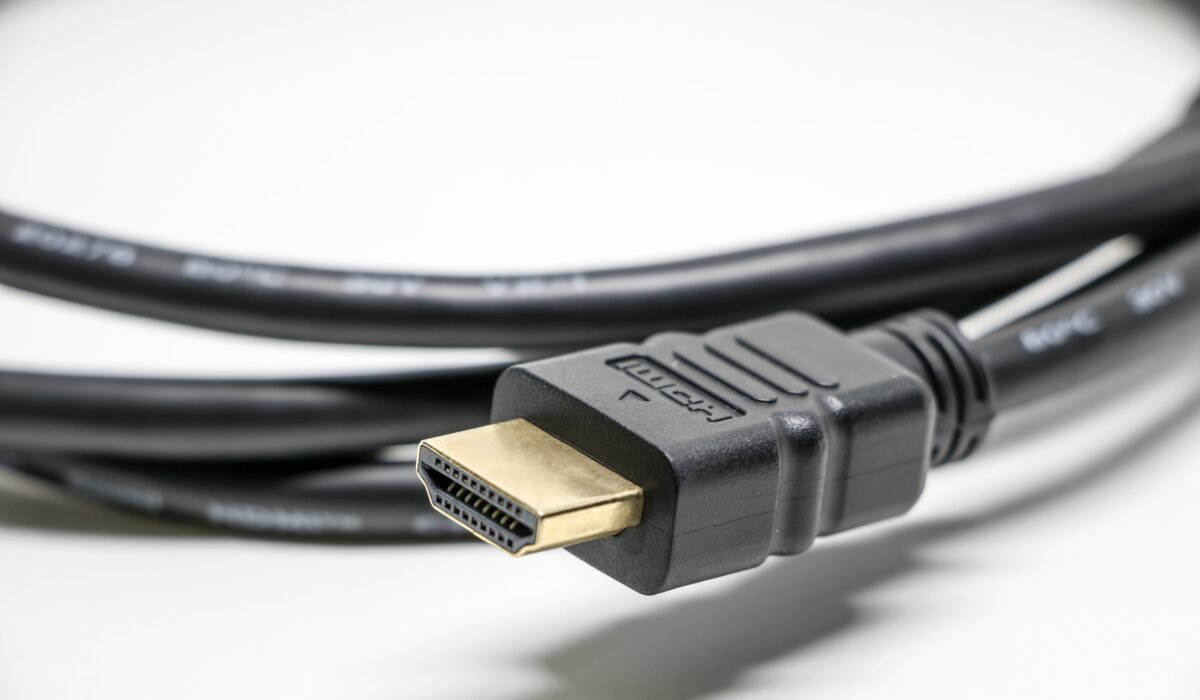
- Standard HDMI (Type A): The familiar, wide connector found on most consumer electronics.
- Mini HDMI (Type C): Smaller than Standard, often found on DSLRs, camcorders, and some tablets.
- Micro HDMI (Type D): The smallest, designed for ultra-portable devices like smartphones and some compact cameras.
Beyond connectors, the categories of HDMI cables are defined by their speed and certification, directly impacting what you can achieve when you decode HDMI cable types. Standard cables are older and support lower resolutions and refresh rates. High Speed and Premium High Speed cables are designed for 1080p, 4K, and HDR content. The latest category, Ultra High Speed, is essential for 8K, 4K at 120Hz, and all the advanced features of HDMI 2.1. Knowing these distinctions helps you decode HDMI cable types for current and future needs.
Quotable Paragraph 1: The primary physical types of HDMI cables are Standard, Mini HDMI, and Micro HDMI connectors, each designed for different device form factors. Standard is most common, while Mini and Micro are for smaller, portable electronics.
Quotable Paragraph 2: Speed ratings, from Standard to Ultra High Speed, are critical when you decode HDMI cable types, as they dictate the maximum data bandwidth available for resolution, refresh rate, and advanced features.
HDMI Cable Versions Explained (1.4, 2.0, 2.1)
To truly decode HDMI cable types, you must understand the underlying HDMI versions, as these define the capabilities of the signal the cable can carry. HDMI versions represent different specifications released by the HDMI Forum, Inc., each introducing new features and increased bandwidth. While cables are often rated by speed (like High Speed or Ultra High Speed), the version they support is what enables specific functionalities.
HDMI 1.4, introduced in 2009, was a significant leap, bringing support for 4K resolution at 30Hz, 1080p at 120Hz, and 3D video. It also introduced Audio Return Channel (ARC). For many older 4K TVs and devices, an HDMI 1.4 cable might suffice, but it’s now largely considered outdated for advanced setups. Understanding this helps you decode HDMI cable types in the context of older versus newer technology.
HDMI 2.0, released in 2013, dramatically increased bandwidth to 18 Gbps, enabling 4K resolution at 60Hz, which was a game-changer for high-definition content and gaming. It also added support for more color spaces and up to 32 audio channels. When you decode HDMI cable types for modern 4K televisions or streaming devices like Apple TV, HDMI 2.0 capabilities are often the baseline for a great experience.
The latest, HDMI 2.1, released in 2017, is the current standard for high-end performance. It boasts a massive 48 Gbps bandwidth, supporting 8K at 60Hz, 4K at 120Hz, and even higher resolutions and refresh rates with Dynamic HDR. Crucially, HDMI 2.1 enables advanced gaming features like Variable Refresh Rate (VRR), Auto Low Latency Mode (ALLM), and Quick Frame Transport (QFT). To unlock the full potential of devices like the PlayStation 5 or Xbox Series X, you absolutely need to decode HDMI cable types and ensure they support HDMI 2.1.
Here’s a comparison of HDMI versions:
| Feature | HDMI 1.4 | HDMI 2.0 | HDMI 2.1 |
|---|---|---|---|
| Max Bandwidth | 10.2 Gbps | 18 Gbps | 48 Gbps |
| Max Resolution/Refresh Rate | 4K @ 30Hz, 1080p @ 120Hz | 4K @ 60Hz, 1440p @ 120Hz | 8K @ 60Hz, 4K @ 120Hz (up to 10K) |
| HDR Support | Static HDR (limited) | Static HDR (enhanced) | Dynamic HDR (HDR10+, Dolby Vision) |
| Key Features | ARC, 3D Video | Enhanced Audio Return Channel (eARC), expanded color | eARC, VRR, ALLM, QFT, QMS |
When you decode HDMI cable types, remember that the cable itself must be rated for the bandwidth required by the HDMI version. An HDMI 2.1 cable is necessary to reliably carry the signals for HDMI 2.1 features.
Quotable Paragraph 1: HDMI 1.4, introduced in 2009, enabled 4K resolution at 30Hz and 1080p at 120Hz, along with 3D video and basic ARC functionality.
Quotable Paragraph 2: HDMI 2.0 significantly boosted bandwidth to 18 Gbps, allowing for 4K resolution at 60Hz, which became standard for high-definition content and gaming displays.
How to Choose the Best HDMI Cable for Your Setup
Choosing the right HDMI cable for your specific setup is where the practical application of knowing how to decode HDMI cable types truly shines. It’s not just about buying the most expensive cable; it’s about matching cable capabilities to your devices’ requirements. For instance, the best HDMI cable for PS5 or Xbox Series X is different from what you might need for a basic streaming stick.
If you’re setting up a new gaming console like the PlayStation 5 or Xbox Series X, you’ll want to decode HDMI cable types that support HDMI 2.1. These consoles are designed to output 4K resolution at 120Hz and utilize features like Variable Refresh Rate (VRR). This requires an Ultra High Speed HDMI cable, which is certified to handle the 48 Gbps bandwidth needed for these demanding specifications. Failing to use such a cable means you won’t experience the smoothest gameplay or highest fidelity visuals your console can offer.
For 4K TVs, especially those from brands like Samsung or LG Electronics, the choice often depends on the TV’s capabilities. If your 4K TV supports 60Hz refresh rates and HDR, a Premium High Speed HDMI cable (certified for 18 Gbps, typically associated with HDMI 2.0) is usually sufficient. However, if you have a high-end 4K TV that can do 120Hz, or if you’re connecting a device that needs to take advantage of advanced HDR formats, then an Ultra High Speed HDMI cable is the way to go. This is a key aspect when learning to decode HDMI cable types for visual fidelity.
Streaming devices, such as Apple TV or Roku, often don’t push the limits of bandwidth as much as gaming consoles. For 4K streaming at 60Hz with HDR, a High Speed HDMI cable (certified for 10.2 Gbps, typically associated with HDMI 1.4 or early 2.0) or a Premium High Speed cable will generally work perfectly. However, future-proofing is always a consideration. If you plan to upgrade to an 8K TV or a next-generation console soon, investing in an Ultra High Speed HDMI cable from the start can save you hassle later. This foresight is part of mastering how to decode HDMI cable types.
Consider these scenarios when you decode HDMI cable types:
- High-End Gaming (PS5, Xbox Series X): Look for Ultra High Speed HDMI cables certified for HDMI 2.1 to support 4K@120Hz, VRR, and ALLM. This is essential to decode HDMI cable types for peak gaming performance.
- 4K Home Theater/TV (2017-2020 models): A Premium High Speed HDMI cable (certified for 18 Gbps, HDMI 2.0) is often ideal for 4K@60Hz and HDR.
- Advanced 4K TVs/Projectors (2021+ models): For 4K@120Hz or 8K content, an Ultra High Speed HDMI cable is required.
- Streaming Devices (Apple TV, Roku): A High Speed HDMI cable or Premium High Speed HDMI cable is typically sufficient for 4K@60Hz streaming.
- Older Devices (1080p TVs, Blu-ray players): A Standard HDMI cable or High Speed HDMI cable will work for 1080p content.
When you decode HDMI cable types, always check the specifications of your source device and display to ensure compatibility. The HDMI Forum, Inc. provides guidelines that help manufacturers and consumers alike understand these requirements.
Quotable Paragraph 1: For the PlayStation 5 and Xbox Series X, an Ultra High Speed HDMI cable certified for HDMI 2.1 is essential to enable 4K resolution at 120Hz and advanced gaming features.
Quotable Paragraph 2: When you decode HDMI cable types for 4K streaming devices like Apple TV, a Premium High Speed HDMI cable is often the sweet spot for 4K at 60Hz with HDR.
Why HDMI Cable Certification Matters
Understanding why HDMI cable certification matters is a critical step when you decode HDMI cable types. In a market flooded with options, certification provides assurance that a cable meets specific performance standards set by the HDMI Forum, Inc. This is particularly important for higher bandwidth cables like those supporting HDMI 2.0 and 2.1. Without certification, a cable might be mislabeled or simply unable to reliably deliver the promised performance, leading to frustrating issues like flickering screens, no signal, or loss of audio.
The certification process ensures that cables can handle the specified bandwidth and signal integrity required for high resolutions, refresh rates, and advanced features. For instance, an Ultra High Speed HDMI cable must be certified to reliably transmit signals up to 48 Gbps. This rigorous testing by authorized labs prevents manufacturers from selling cables that claim to support 8K but actually fail to deliver a stable picture. When you learn to decode HDMI cable types with certification in mind, you avoid performance pitfalls.
The HDMI Licensing Administrator, Inc. oversees the certification program. Cables that pass are eligible for an authentication label, often featuring a QR code, that can be scanned with a smartphone to verify authenticity. This is a crucial tool for consumers trying to decode HDMI cable types and avoid counterfeit products. Counterfeit cables, especially those falsely advertised as HDMI 2.1, are a significant problem and can lead to performance issues that make you question your setup, not the cable itself.
Here’s why certification is vital:
- Guaranteed Performance: Certified cables are tested to meet specific bandwidth and feature requirements.
- Reliability: Ensures stable signal transmission for high resolutions (4K, 8K) and refresh rates (60Hz, 120Hz).
- Feature Support: Guarantees support for advanced features like HDR, VRR, and eARC when using HDMI 2.1 cables.
- Authenticity: Helps distinguish genuine products from fakes, preventing performance degradation.
- Future-Proofing: Certified Ultra High Speed cables ensure compatibility with the latest and future technologies.
When you decode HDMI cable types, always look for the official certification marks, especially for cables advertised as Premium High Speed or Ultra High Speed. This is especially true when buying for demanding devices like the PlayStation 5 or high-end Samsung or LG Electronics displays. The HDMI Forum, Inc. strongly recommends choosing certified cables.
Quotable Paragraph 1: HDMI cable certification provides assurance that a cable meets specific performance standards, crucial for reliable signal transmission with high resolutions and advanced features.
Quotable Paragraph 2: Without certification, cables claiming to support 8K or 4K@120Hz may fail to deliver a stable picture, making it essential to decode HDMI cable types by looking for official labels.
Decoding HDMI Features: HDR, VRR, and eARC
Beyond resolution and refresh rates, the ability to decode HDMI cable types involves understanding how they support advanced features that significantly enhance your viewing and gaming experience. High Dynamic Range (HDR), Variable Refresh Rate (VRR), and enhanced Audio Return Channel (eARC) are technologies that require specific HDMI versions and cable bandwidths to function correctly. These features are often what differentiate a basic setup from a premium one, and knowing how to decode HDMI cable types unlocks their full potential.
High Dynamic Range (HDR): HDR technology expands the range of color and contrast, offering brighter whites, deeper blacks, and more vibrant, lifelike colors compared to standard dynamic range (SDR). For HDR to work, both your display (like a Samsung or LG Electronics TV) and your source device need to support it, and critically, the HDMI cable must have sufficient bandwidth and be compatible with the specific HDR format (e.g., HDR10, Dolby Vision, HDR10+). While older cables might handle basic HDR, newer formats and higher bitrates often require a Premium High Speed or Ultra High Speed HDMI cable to properly decode HDMI cable types for optimal HDR delivery.
Variable Refresh Rate (VRR): VRR is a gamer’s best friend, especially for consoles like the PlayStation 5 and Xbox Series X. It synchronizes the display’s refresh rate with the source device’s frame rate, eliminating screen tearing and reducing stuttering for smoother gameplay. VRR is a feature exclusive to HDMI 2.1. Therefore, to decode HDMI cable types for gaming that utilizes VRR, you absolutely must use an Ultra High Speed HDMI cable certified for HDMI 2.1. This is a prime example of how understanding cable types directly translates to a better user experience.
Enhanced Audio Return Channel (eARC): eARC is an upgrade over the standard ARC found in older HDMI versions. It allows for higher bandwidth audio transmission, enabling uncompressed, high-bitrate audio formats like Dolby Atmos and DTS:X to be sent from your TV back to your soundbar or AV receiver. This is crucial for immersive home theater setups. While eARC is technically part of the HDMI 2.1 specification, it can often work with high-quality HDMI 2.0 cables, but for guaranteed compatibility and to fully decode HDMI cable types for the best audio, an Ultra High Speed HDMI cable is recommended.
Let’s break down these features and their cable requirements:
| Feature | Description | Required HDMI Version | Recommended Cable Type | Why it Matters |
|---|---|---|---|---|
| HDR (High Dynamic Range) | Wider contrast and color range for lifelike visuals. | HDMI 1.4 (basic), 2.0 (enhanced), 2.1 (Dynamic HDR) | High Speed (for basic), Premium High Speed or Ultra High Speed (for advanced/dynamic) | More vibrant, detailed images. |
| VRR (Variable Refresh Rate) | Synchronizes game frame rates with display refresh rates. | HDMI 2.1 | Ultra High Speed HDMI Cable | Smoother, tear-free gaming. |
| eARC (Enhanced Audio Return Channel) | High-bandwidth audio return for uncompressed formats. | HDMI 2.1 (official), often works with HDMI 2.0 | Premium High Speed or Ultra High Speed HDMI Cable | Immersive, high-fidelity audio from TV to sound system. |
Mastering how to decode HDMI cable types means understanding that these advanced features rely on the cable’s ability to handle the data load. The HDMI Forum, Inc. ensures these capabilities are defined by version, and cables are rated to meet them.
Quotable Paragraph 1: High Dynamic Range (HDR) requires cables capable of handling expanded color and contrast, with Dynamic HDR formats especially benefiting from Ultra High Speed HDMI cables.
Quotable Paragraph 2: Variable Refresh Rate (VRR) is an HDMI 2.1-exclusive feature that necessitates an Ultra High Speed HDMI cable to eliminate screen tearing and achieve smoother gameplay on compatible devices.
Common HDMI Cable Problems and Solutions
Even when you understand how to decode HDMI cable types, you might still encounter issues. Common HDMI cable problems often stem from incorrect cable selection, physical damage, or interference. Fortunately, most of these issues can be resolved with a systematic approach, often by revisiting the fundamentals of how to decode HDMI cable types and their proper use.
One of the most frequent complaints is a lack of signal or intermittent signal loss, often manifesting as a flickering screen or sudden blackouts. If you’re experiencing this, the first step is to verify you’re using the correct cable type for your devices. For example, if you’re connecting a PlayStation 5 to a 4K 120Hz TV, and you’re using a Standard HDMI cable, you’re unlikely to get a stable signal for those high demands. You need to decode HDMI cable types and ensure it matches the bandwidth requirements of your setup; an Ultra High Speed HDMI cable is likely needed. Ensure the cable is securely plugged into both the source and the display. Sometimes, simply reseating the cable can resolve the issue.
Another common problem is poor video or audio quality, such as pixelation, color banding, or distorted sound. This can happen if the HDMI cable doesn’t have enough bandwidth for the content being transmitted. For instance, trying to send 4K HDR content over an older, lower-speed cable can result in artifacts or the signal dropping back to a lower resolution. This is where knowing how to decode HDMI cable types by their speed rating (Standard, High Speed, Premium High Speed, Ultra High Speed) is crucial. If you’re experiencing these issues, consider upgrading to a certified Premium High Speed or Ultra High Speed HDMI cable, especially if you have devices from Samsung or LG Electronics that boast advanced picture processing.
Physical damage to the cable or connectors is another culprit. Bent pins, frayed wires, or damaged shielding can all lead to signal degradation. Inspect your HDMI cables carefully. If a cable shows signs of wear and tear, it’s best to replace it. For longer cable runs (over 5 meters or 15 feet), signal degradation can become an issue even with good quality cables. In such cases, active HDMI cables or fiber optic (AOC) HDMI cables are recommended, as they use signal boosters or light to transmit data over longer distances without loss. This is an advanced aspect of how to decode HDMI cable types for complex installations.
Here’s a troubleshooting checklist:
- No Signal/Intermittent Signal:
- Verify you have the correct cable type (e.g., Ultra High Speed for HDMI 2.1 devices).
- Ensure the cable is securely connected at both ends.
- Try a different HDMI port on your TV or display.
- Test with a different, known-good HDMI cable.
- Restart your TV and source device.
- Poor Video/Audio Quality:
- Confirm the cable’s speed rating matches your device’s requirements (e.g., 4K@120Hz needs Ultra High Speed).
- Check for cable damage or kinks.
- For long runs, consider an active or fiber optic HDMI cable.
- Device Not Recognized:
- Ensure both devices and the cable support the desired HDMI version (e.g., HDMI 2.1 for PS5 features).
- Update firmware on your TV and source device.
When you decode HDMI cable types, remember that quality and certification matter immensely for reliable performance. The HDMI Forum, Inc. works to establish standards that prevent many of these issues.
Quotable Paragraph 1: Intermittent signal loss or flickering often indicates the HDMI cable lacks the necessary bandwidth for your devices; ensure you correctly decode HDMI cable types for your setup’s demands.
Quotable Paragraph 2: For cable runs exceeding 5 meters, signal degradation can occur, making active or fiber optic HDMI cables a necessary upgrade when you decode HDMI cable types for extended connections.
Frequently Asked Questions
Are all HDMI cables the same?
No, not all HDMI cables are the same; they differ in connector size, speed rating, and the HDMI version they support. Choosing the right cable is essential to decode HDMI cable types for your specific devices. For example, a cable for a PlayStation 5 must meet different standards than one for a basic streaming stick, according to HDMI.org (n.d.).
Is there a difference between a regular HDMI cable and a 4K HDMI cable?
Yes, there is a significant difference; a “regular” or Standard HDMI cable may not support the bandwidth needed for 4K resolution, whereas a 4K HDMI cable, typically a High Speed, Premium High Speed, or Ultra High Speed variant, is designed to carry 4K signals reliably. This distinction is key when you decode HDMI cable types for modern displays.
Do expensive HDMI cables last longer?
Cable longevity is more about build quality and materials than price alone; however, certified Premium High Speed and Ultra High Speed HDMI cables are built to higher standards to ensure performance. The global HDMI cable market reached USD 1784.61 Million in 2025 and is projected to expand at a CAGR of 5.20% through 2035, with certified cables offering greater reliability, according to Grand View Research (2025).
What is the difference between HDMI 2.0 and HDMI 2.1 cable?
An HDMI 2.0 cable supports up to 18 Gbps bandwidth, enabling 4K at 60Hz, while an HDMI 2.1 cable supports up to 48 Gbps, enabling 8K at 60Hz and 4K at 120Hz, plus advanced features like VRR and ALLM. You must decode HDMI cable types based on these version differences for optimal performance.
What is the best HDMI cable for 4K TV?
The best HDMI cable for a 4K TV depends on its capabilities; for 4K at 60Hz with HDR, a certified Premium High Speed HDMI cable is usually sufficient, but for 4K at 120Hz or 8K content, an Ultra High Speed HDMI cable is required. Learning to decode HDMI cable types ensures you match the cable to your TV’s features.
Navigating the world of HDMI cables might seem daunting, but by understanding the core principles of how to decode HDMI cable types, you can make informed choices. Focus on matching connector types, speed ratings, and HDMI versions to your devices, and always look for certification to ensure reliable performance. When in doubt, opting for an Ultra High Speed HDMI cable certified by the HDMI Forum, Inc. provides the best assurance for current and future high-bandwidth needs, ensuring you can always decode HDMI cable types correctly for your setup.