Key Takeaways
- Essential computer input devices are the bridge between users and their digital world.
- The global input device market was valued at USD 12.5 billion in 2024.
- Wireless connectivity is now adopted in 78% of new devices.
- Ergonomic design is crucial for preventing strain and long-term discomfort.
- Future input technologies promise more intuitive and integrated user experiences.
What’s the single most frustrating thing about a computer that just doesn’t feel right? Often, it’s not the processing power, but how you interact with it daily, making the mastery of essential computer input devices paramount for a smooth, productive computing experience. These tools are our primary conduits to the digital realm, transforming our thoughts and commands into digital actions. Without them, a powerful machine remains inert. This guide dives deep into understanding, choosing, and optimizing these critical components, ensuring you harness the full potential of your technology.
Quick Answer: Essential computer input devices include keyboards, mice, touchscreens, and microphones. Mastering them involves understanding types, functions, ergonomics, and choosing the right tools for enhanced productivity and user experience.
What Are Computer Input Devices?
Computer input devices are the hardware components that allow users to send data and commands to a computer. They translate human actions or environmental information into digital signals that a computer can process. Understanding how input devices work is fundamental to appreciating the entire computing ecosystem. These essential computer input devices are the primary interface through which we interact with our digital world, making them indispensable.
Input devices serve as the vital bridges connecting us to our computers. Without them, a computer would be a silent, isolated box, unable to receive commands, process data, or interact with the world, according to Lakshmi Madhu, Marketing Team at SuperOps. These devices are the first step in the input-process-output cycle that defines computing.
From simple clicks to complex artistic strokes, these tools enable us to communicate our intentions. The variety and sophistication of these essential computer input devices have evolved dramatically, reflecting our increasing reliance on digital interaction.
Here’s a breakdown of their core function:
- Data Entry: Allowing users to type text, numbers, and symbols.
- Command Issuance: Enabling actions like clicking, selecting, and navigating.
- Information Capture: Translating physical actions or environments into digital data.
- Control: Providing precise manipulation of on-screen elements.
What Are the Most Commonly Used Computer Input Devices?
The most commonly used computer input devices are those integrated into our daily digital lives, forming the bedrock of personal computing. These indispensable tools are the primary means by which most users interact with their machines, making them essential computer input devices for everyday tasks. The ubiquity of these items underscores their importance in enabling productivity and connectivity.
The global input device market size was valued at USD 12.5 billion in 2024, highlighting the massive scale of these essential computer input devices, according to market research firms. Among these, keyboards and mice stand out for their pervasive use across virtually all computing platforms.
Here are the titans of input:
- Keyboards: The quintessential tool for text entry and command execution, allowing users to type documents, enter data, and issue commands.
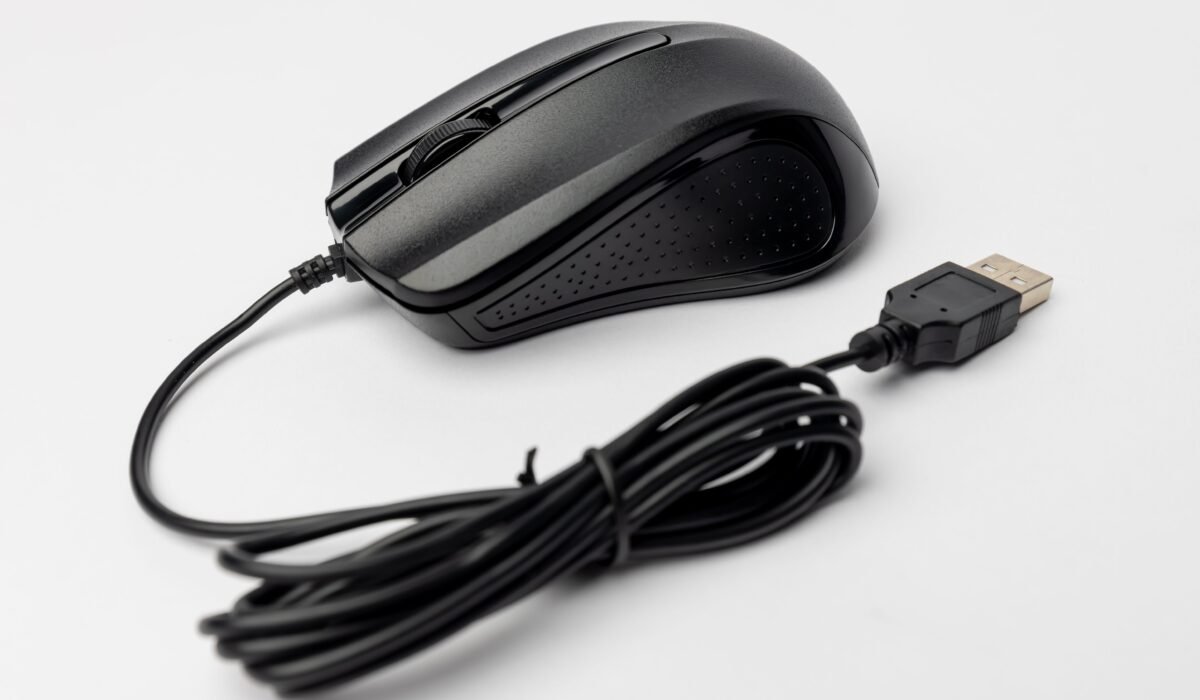
- Mice: Essential for navigating graphical user interfaces (GUIs), facilitating precise cursor control, pointing, clicking, and dragging operations.
- Touchscreens: Increasingly common on laptops, tablets, and smartphones, offering direct manipulation of on-screen elements with fingers or styluses.
- Microphones: Used for voice commands, dictation, and audio recording, bridging spoken language with digital processing.
These essential computer input devices are the workhorses that power our digital interactions. Their design and functionality have been refined over decades to offer a balance of speed, accuracy, and ease of use.
What Are the Different Types of Computer Input?
The different types of computer input encompass the diverse ways users and environments can convey information to a computing system. These categories illustrate the broad spectrum of interaction methods available beyond the standard keyboard and mouse, showcasing the versatility of essential computer input devices. Each type serves a distinct purpose, catering to specific user needs and technological advancements.
Understanding these input types is key to appreciating the full range of how we communicate with machines. The evolution of computer input and output devices has continually expanded the possibilities for interaction, moving beyond simple text entry. For instance, gesture recognition technology is a big step forward, allowing computer control through movements.
Input can be broadly categorized by its nature:
- Textual Input: Primarily through keyboards, where characters are translated into digital data.
- Pointing/Navigational Input: Achieved via mice, trackballs, touchpads, and touchscreens to control a cursor or select items.
- Visual Input: Captured by scanners and digital cameras, converting physical images or documents into digital formats.
- Audio Input: Recorded by microphones, transforming sound waves into digital audio data for voice commands or recording.
- Tactile/Pressure Input: Common in touchscreens and specialized devices like drawing tablets, where physical touch or pressure is registered.
- Motion/Gesture Input: Utilized by motion sensors, VR controllers, and advanced systems that interpret physical movements.
Exploring these varied types of computer input devices reveals the rich tapestry of interaction possibilities. Many modern devices cleverly combine multiple input methods to offer comprehensive functionality, making them truly essential computer input devices for a connected world.
How to Choose Essential Input Devices for Your Needs
Choosing the right essential computer input devices involves a careful consideration of your specific tasks, workflow, and comfort. Just as chefs stir with spoons rather than screwdrivers and plasterers smear stucco with trowels instead of spatulas, tech pros need the right tool for each job they undertake. Selecting the best input devices for productivity or specialized tasks can significantly impact efficiency and user experience. This thoughtful selection process ensures your hardware actively supports, rather than hinders, your goals.
The PC Peripheral Input Device Market is projected to grow at a 4.28% CAGR from 2025 to 2035, indicating a strong demand for specialized and effective essential computer input devices. When making your choice, think about how you use your computer most often. Are you a writer, a gamer, a designer, or an office professional? Each role benefits from different types of essential computer input devices.
Consider these factors:
- Primary Use Case: Identify your main computer activities (e.g., typing, gaming, graphic design, coding, general browsing).
- Ergonomics: Prioritize comfort and health, especially if you spend long hours at your computer.
- Connectivity: Decide between wired (reliable, no batteries) and wireless (convenient, less clutter) options. Wireless connectivity adoption has reached 78% in new devices.
- Features: Look for features that enhance your workflow, such as programmable buttons, adjustable DPI on mice, or tactile key switches on keyboards.
- Compatibility: Ensure the devices are compatible with your operating system and other hardware.
- Budget: Determine a realistic budget, balancing cost with quality and features.
Investing time in selecting the right essential computer input devices is an investment in your own productivity and well-being. Brands like Logitech and Microsoft offer a wide range of options catering to diverse needs.
Ergonomics: Preventing Strain with Input Devices
Ergonomics is vital for preventing strain and promoting long-term health when using essential computer input devices. Making small changes to ergonomic setups can help prevent long-term pain, according to expert recommendations. Proper ergonomic design in your computer peripherals ensures that your interaction with technology is sustainable and comfortable, reducing the risk of repetitive strain injuries (RSIs).
The right ergonomic computer peripherals can transform your workspace from a source of discomfort to one that supports your body. Over 56% of global enterprises are upgrading peripheral hardware due to hybrid work infrastructure demand, with ergonomics being a key driver. Choosing essential computer input devices that align with ergonomic principles is crucial for anyone spending significant time at a desk.
Here’s how to optimize your setup:
- Posture: Ensure your chair and desk are at the correct height so your arms are parallel to the floor when typing and your wrists are straight.
- Keyboard Placement: Position your keyboard directly in front of you, with enough space to rest your wrists. Consider ergonomic keyboards that split or angle for a more natural hand position.
- Mouse Grip: Hold the mouse loosely and avoid resting your wrist on the desk. Vertical mice, like the Logitech MX Vertical Mouse, are designed to reduce wrist pronation.
- Breaks: Take regular short breaks to stretch your hands, wrists, and arms.
- Adjustable Devices: Look for input devices with adjustable features, such as DPI settings on mice or tenting options on keyboards.
Prioritizing ergonomics when selecting your essential computer input devices is not just about comfort; it’s about safeguarding your health and maintaining peak performance over time. These considerations make your chosen essential computer input devices truly supportive.
Niche Input Devices for Specific Tasks
Beyond the everyday, niche input devices cater to specialized tasks, offering precision and functionality unavailable with standard peripherals. These specialized input devices are designed for professionals and enthusiasts who require tools tailored to their unique workflows. For example, graphic designers often rely on precise tools that standard essential computer input devices cannot replicate.
The market for specialized input devices is robust, driven by demands in creative fields, gaming, accessibility, and industrial applications. The global computer peripherals market is estimated to be valued at USD 545 billion in 2026, with a significant portion dedicated to these niche offerings. These essential computer input devices unlock new levels of control and creativity.
Examples of specialized input devices include:
- Drawing Tablets: Like the Apple Pencil Pro, these devices offer pressure sensitivity and tilt recognition, ideal for digital art, illustration, and photo editing.
- Gaming Peripherals: High-precision mice with adjustable DPI (dots per inch), mechanical keyboards with customizable key switches (e.g., Corsair K100 Air Wireless), and specialized controllers enhance gaming performance.
- Foot Pedals: Used in transcription, gaming, or for complex software control, allowing hands-free command execution.
- Trackballs: An alternative to mice, offering cursor control with minimal desk space and wrist movement, beneficial for users with limited mobility.
- 3D Controllers: Devices like 3Dconnexion mice provide intuitive navigation in 3D modeling and CAD software.
These essential computer input devices demonstrate how technology can be finely tuned to meet the exacting demands of specific professions and hobbies, pushing the boundaries of what’s possible with a computer.
The Future of Computer Input Technology
The future of computer input technology points towards more intuitive, seamless, and integrated ways of interacting with our devices. We are moving beyond physical buttons and clicks towards methods that feel more natural and responsive. These advancements promise to redefine our relationship with computers, making interactions feel less like commands and more like natural extensions of our will. The evolution of essential computer input devices is a continuous journey toward greater efficiency and user-centric design.
Experts state that gesture recognition technology is a big step forward, allowing computer control through movements. This trend is part of a broader shift towards less intrusive and more immersive input methods. The ongoing development in future input technologies suggests a world where the boundary between human thought and digital action becomes increasingly blurred.
Key emerging trends include:
- Advanced Gesture and Motion Control: Systems that precisely track hand and body movements for complex command execution, similar to advanced VR interfaces.
- Eye Tracking: Allowing users to control cursors and interact with interfaces using only their gaze, crucial for accessibility and hands-free operation.
- Brain-Computer Interfaces (BCIs): While still largely experimental, BCIs aim to translate brain signals directly into computer commands, representing the ultimate in direct input.
- Haptic Feedback: More sophisticated tactile feedback that simulates textures, resistance, and physical sensations, making digital interactions more tangible.
- Voice and AI Integration: Enhanced natural language processing and AI assistants that understand context and intent, making voice the primary input for many tasks.
The continuous innovation in these areas means that the definition of essential computer input devices will keep expanding, incorporating technologies that were once the realm of science fiction. Companies like Razer are at the forefront of exploring new gaming input paradigms.
Optimizing Workflow with Multiple Input Devices
Optimizing workflow with multiple input devices involves strategically combining different tools to enhance efficiency and reduce task completion time. The short answer is that leveraging a diverse set of essential computer input devices can create a synergistic effect, boosting productivity far beyond what a single device can achieve. This approach allows users to select the best input method for each specific action, streamlining complex processes.
Integrating multiple essential computer input devices effectively requires understanding how each tool can complement the others. For instance, a graphic designer might use a keyboard for shortcuts, a mouse for general navigation, and a drawing tablet for detailed work. This layered approach to input allows for a more fluid and dynamic workflow. Many professionals find that combining Logitech peripherals, like a dedicated keyboard and a precision mouse, sets a strong foundation.
Here’s how to effectively combine your essential computer input devices:
- Task-Specific Tools: Assign specific tasks to particular devices. Use a high-precision mouse for detailed selection, a keyboard for text and shortcuts, and a trackball for continuous scrolling or navigation.
- Keyboard Shortcuts: Master keyboard shortcuts for frequently used commands. This drastically reduces the need to move your hand to the mouse for simple actions.
- Programmable Buttons: Utilize programmable buttons on mice and keyboards to trigger macros or specific functions, saving clicks and keystrokes.
- Ergonomic Balance: Ensure that using multiple devices doesn’t lead to awkward postures. Position them so they are all easily accessible without straining.
- Software Integration: Some software allows for custom input mappings or profiles for different devices, further tailoring your workflow.
By thoughtfully integrating various essential computer input devices into your setup, you can achieve a level of efficiency and comfort that makes your computing experience more enjoyable and productive. This mastery of essential computer input devices allows you to work smarter, not harder.
Frequently Asked Questions
What are the most commonly used input devices?
The most commonly used input devices are keyboards and mice, indispensable for text entry and navigation. Microphones and touchscreens are also increasingly prevalent, expanding interaction capabilities. These essential computer input devices form the core of daily computing.
What is an input device?
An input device is any piece of hardware that sends data or commands to a computer for processing. It acts as the user’s interface, translating actions or information into a format the computer can understand. Understanding essential computer input devices is key to effective computer use.
What are the different types of input?
Types of input include textual (keyboard), navigational (mouse, touchscreen), audio (microphone), visual (scanner), and motion/gesture. Each type allows for a unique way to communicate with a computer system. Exploring these types reveals the breadth of essential computer input devices available.
What are the 5 essential input devices for your computer?
Five essential input devices typically include the keyboard, mouse, microphone, webcam, and a display (though technically an output device, it’s crucial for interaction feedback). These essential computer input devices cover most common user needs. The right selection enhances productivity significantly.
What are some of the most common I/O devices?
Common Input/Output (I/O) devices include keyboards and mice for input, and monitors and printers for output. These essential computer input devices and their output counterparts form the fundamental communication channels with a computer. The global input device market was valued at USD 12.5 billion in 2024, according to market research.
Mastering essential computer input devices is key to unlocking your computer’s full potential and ensuring a comfortable, productive digital life. By understanding the types available, considering ergonomic factors, and strategically combining tools, you can significantly enhance your daily computing experience. Explore the options, experiment with different setups, and choose the essential computer input devices that best serve your unique needs.